QR Code Guide: Types, Uses, Benefits & How to Create
Create any QR Code easily with QR Code Spark. Explore QR Code types, benefits, uses, customization, static codes, and step-by-step creation. Introduction QR Code…
Create any QR Code easily with QR Code Spark. Explore QR Code types, benefits, uses, customization, static codes, and step-by-step creation.
Introduction
QR Code is a type of two-dimensional barcode that allows users to gain access to digital information by scanning a square code using their smartphone’s camera. QR Codes can contain website URLs, text, contact information, Wi-Fi credentials, e-mail addresses, phone numbers, social media profiles, maps, PDF documents, payments, events, and many other types of information.
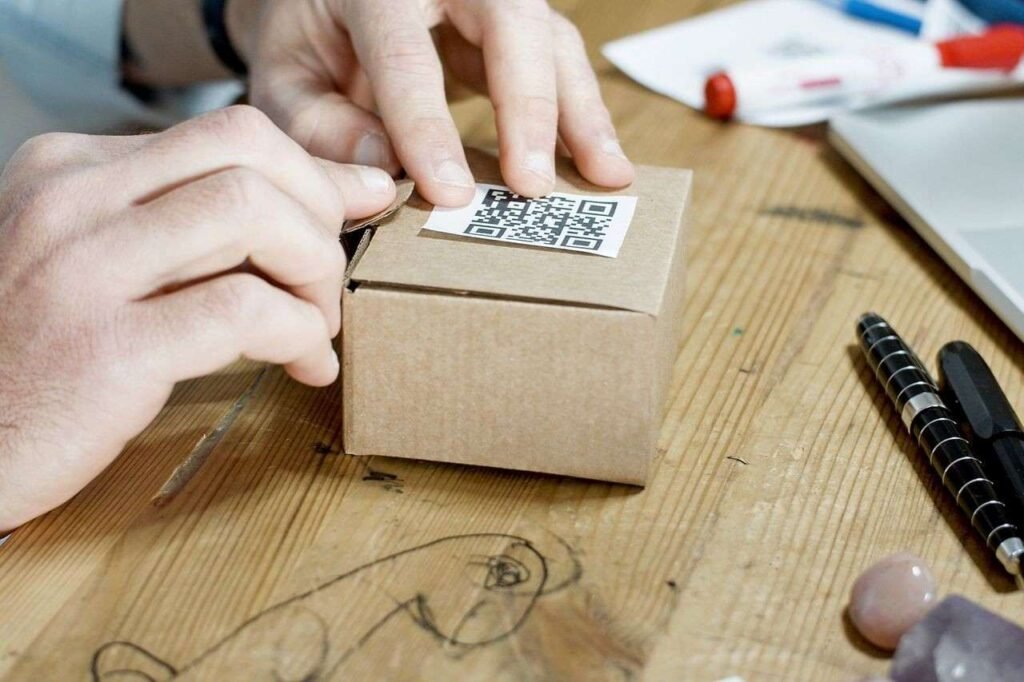
Nowadays, QR Codes are extensively used in business, marketing, restaurants, retail stores, events, the creation process, and by individuals, since they allow linking physical objects with digital content easily. The QR Code can be printed on the package, menu, poster, business card, brochure, label, receipt, sign, and promotional material.
For those people interested in generating QR Codes in different formats without the need for sophisticated software, QR Code Spark can offer an online QR Code generator. This website claims that it generates QR Codes in the browser locally, with no sign-up or storage of the content being encoded.
What Is a QR Code?
The term QR means Quick Response. The QR Code is an example of a two-dimensional barcode whose aim is to store information in a square module format. The QR code differs from the common one-dimensional barcode by having data stored on both vertical and horizontal planes. This enables it to store varied information and be readable regardless of its orientation.
Upon scanning the QR Code by a suitable mobile phone camera or QR code reader, the device would decode the encoded data and then take the corresponding action, for instance:
- A website QR Code opens a webpage.
- A Wi-Fi QR Code delivers network information.
- A phone QR Code opens the dialer.
- An email QR Code creates an email.
- A Google Maps QR Code opens the destination.
- A social media QR Code takes the user to the profile of that social media.
- A payment QR Code gives payment details.
- A PDF QR Code takes the user to the required document.
QR Codes thus create a seamless link between offline and online experiences.
How Does a QR Code Work?
The QR Code encodes the data as a visual symbol. The simple algorithm of the process is as follows:
- Provide the information to the QR Code generator.
- Create a QR Code with the help of the provided information.
- Download the QR Code or show it.
- Print out or send the QR Code.
- Scan the code by using a mobile device.
- The device decodes the provided information.
- The appropriate action is executed.
For instance, when you generate a QR Code that contains the website URL, the URL itself is stored inside the QR pattern, and when you scan the code with your phone, it identifies the URL and opens up the website. Static QR Codes contain the actual data that they need to contain in their patterns, whereas dynamic QR Codes contain a redirect.

Every Type of QR Code, Explained
Here are the various types of QR codes that are most searched for and used by people, their uses, when to use them, and how to generate them.
1. Website / URL QR Code
The most common kind of QR code just leads you to a web page. Take any URL for a homepage, landing page, or blog post, and this QR code leads you straight there.
This is the core of print-to-online advertising, from flyers, posters, and product packaging to storefronts, which make use of URL QR codes to attract traffic through scanning without even entering a URL into a browser. Use the Website QR Code Generator or the more generic URL QR Code Generator.
2. Plain Text QR Code
With a text QR code, you encode a fixed message like instructions, a quotation, serial number, or note without a link or application. After scanning the code, the text will be displayed right on the screen. This is a reliable choice when the information does not have to travel elsewhere.
3. Email QR Code
Email QR codes automatically fill out a message in the email application that has been launched by the scanner, with all details such as recipient, subject line, and content filled out. This eliminates any extra steps that need to be taken during customer support, RSVPing, and feedback collection. Give the Email QR Code Generator a try.
4. Phone Number QR Code
The scan will launch the dialer and insert the number for the user to make a call with just one tap. It is frequently used on business cards, service vehicles, and support desks. Create your own with the help of the Phone QR Code Generator.
5. SMS QR Code
An SMS QR code is used to open the messaging app with the phone number and an optional pre-written message to be sent. It is used by restaurants, events, and customer support teams to make sending texts to their short codes very easy. Create yours using the SMS QR Code Generator.
6. WhatsApp QR Code
A WhatsApp QR code gets you straight into conversation with a particular phone number, including an automated message in some cases. This QR code is now widely used by small business owners, customer service agents, and salespeople to get customers to initiate a chat with them at once rather than noting down their number. Get yours with the WhatsApp QR Code Generator.
7. WiFi QR Code
WiFi QR code contains the SSID, encryption information, and password of your Wi-Fi. By using a WiFi QR code, your visitors will be able to access your Wi-Fi without any password input or spelling mistakes. It is considered to be one of the most useful QR codes. Get yours through the WiFi QR Code Generator.
8. Business Card (vCard) QR Code
The business card QR code contains all the digital information related to you, like your name, mobile number, email, organization, and designation in vCard format. Once you scan this code, you will be able to add all this information in your smartphone’s contact app in just a few seconds and without using paper-based cards. Visit the Business Card QR Code Generator.
9. Location & Google Maps QR Code
A location QR code sets a pin at specified geographical locations, whereas a Google Maps QR code leads to turn-by-turn navigation at a particular address. Both these QR codes are very commonly used on event invites, store windows, delivery guidelines, and event signage to ensure that the address is never entered manually by anyone. Use the Location QR Code Generator and Google Maps QR Code Generator.
10. Social Media QR Codes (Instagram, Facebook, LinkedIn, TikTok, X)
Social QR codes lead to a profile or a page and allow businesses to accumulate social media followers offline by placing QR codes on packages, banners, receipts, or even booth kiosks. Our QR Code Spark generator allows generating dedicated QR codes for social media, including Instagram, Facebook, LinkedIn, and many others, thus leading scanners directly to the business profile instead of a regular web search.
11. YouTube QR Code
YouTube QR code leads directly to a video or channel – ideal for promoting products, instructions, testimonials, or integrating a video experience into printed documents. Create a YouTube QR code with the YouTube QR Code Generator.
12. PDF QR Code
PDF QR code leads to a hosted document such as a menu, flyer, technical specification, CV, or an entire manual, thus allowing scanners to read or download it immediately. Such QR codes are very popular in hospitality and real estate industries. Generate a PDF QR code with the PDF QR Code Generator.
13. Image URL QR Code
The QR code for an image is just like the one for a PDF, and it will take you straight to an image hosted on the Internet. The image could be anything – a profile picture of yours or even a picture of your product.
14. App Store QR Code
The QR code for an app store redirects the scanner directly to your app in the App Store or Google Play, skipping the search process altogether. This is a common feature found on app landing pages, product packaging, and marketing material for mobile-first products.
15. Event QR Code
The QR code of an event usually contains a calendar invitation including information such as date, time, venue, and description so that by scanning the code, one automatically saves the event in his/her calendar application.
16. Payment QR Codes (UPI, Bitcoin, PayPal)
QR codes have been indispensable for swift payments:
- UPI QR codes are employed all over India for making immediate payments between banks via QR scan in the respective UPI application.
- Bitcoin QR codes contain an address to a Bitcoin wallet and ensure that payments made in cryptocurrency bypass manual entry of a long alphanumeric code.
- PayPal QR codes direct the payer to the PayPal.me payment page.
You can generate all three with the UPI Payment QR Code Generator and related payment tools.
17. Custom-Designed QR Codes
Apart from the data type, QR codes can also be customized aesthetically without compromising scannability using built-in error correction. These include:
- Custom colors and gradients to fit in with the brand aesthetics
- Rounded, dotted, extra-rounded, or classed dotted code design rather than standard squares
- Custom eye designs that are rounded, dotted, or square
- Custom logo insertion in the middle
- Custom transparent backgrounds
The Custom QR Code Generator lets you control every one of these details while keeping the code fully scannable.
Static QR Code vs Dynamic QR Code
Choosing between static and dynamic QR Codes is one of the most essential choices to make while designing a QR Code.
| Feature | Static QR Code | Dynamic QR Code |
| Information | Stored directly | Uses a redirect |
| Edit after printing | No | Yes |
| Scan analytics | Usually no | Usually available |
| Destination changes | Requires new code | Can be changed |
| Platform dependency | Low | Higher |
| Best for | Permanent information | Campaigns and changing content |
Static QR Codes hold the real data inside themselves. Once it has been printed, there is no way to update the information.
Dynamic QR Codes mostly have short redirect URLs. It is possible to alter the destination URL using the management system without reprinting the existing code. There is an option to get scan analytics with dynamic QR Codes as well.
For instance, a Wi-Fi QR Code that is going to last forever might be the right choice for a static QR Code. A marketing campaign with changing landing pages should use a dynamic solution.
According to QR Code Spark, its codes are always static, never expire, and work as long as the data stays relevant.
How to Create a QR Code (Step by Step)
- Select the appropriate type of QR for your site: WiFi, vCard, payment, social, and many other categories.
- Provide information in the form of a URL, Text, Phone Number, or Credentials according to the chosen category.
- Design and customize with various options: select colors, gradients, dot styles, corner styles, and even add a logo.
- Preview instantly: QR Code Spark creates a preview of your code right away as you enter information.
- Export/download in PNG or JPG format to use online, or in SVG for printing.
What Can QR Codes Be Used For?
QR Codes are useful in numerous business sectors.
Marketing
Companies can integrate QR Codes to link their offline marketing with online promotions, landing pages, offers, videos, and social media.
Restaurants
Restaurants may integrate QR Codes on tables, menu cards, bills, or promotions to provide digital menus and other data.
Retail
Retailers can link product boxes to product pages, user guides, how-to videos, customer feedback, or extra details.
Education
Schools and teachers can post QR Codes that send students to lesson videos, worksheets, tasks, class files, and other added materials.
Events
Event planners can put QR Codes on signs so people can find registration, times, venue directions, ticket info, and event updates.
Hospitality
Hotels can use QR Codes to share Wi-Fi details, local recommendations, room service steps, maps, and other digital help.
Business Networking
People at work can use Business Card QR Codes to pass along contact info without depending only on paper cards.
Genuine Advantages of QR Codes
1. Quick and Error-Free
QR Codes enable easy access to information, which decreases errors from manual input and allows quick access to digital information in seconds.
2. More Secure
QR Codes can securely share encrypted or controlled information, reducing exposure of sensitive details through manual entry and paper-based methods.
3. Engaging with Rich Content
QR Codes lead users to different media such as videos, images, website pages, menus, documents, etc., creating interesting digital interactions.
4. Actionable
QR Codes motivate users to take action like going to a website, paying, messaging, downloading applications, contacting a business, etc.
5. Trackable
Dynamic QR Codes help collect data about scans, user activities, campaign performance, location, devices used for scans, and more.
6. Easy to Save
Users can quickly scan and store any digital data, for example, contact details, web addresses, documents, Wi-Fi connection information, and more.
Why Use QR Code Spark?
QR Code Spark is an online platform for generating QR codes. It has the following features according to the website:
- Free QR Code generation
- No signup requirement
- Unlimited QR Codes
- No watermark
- PNG, JPG, and SVG downloads
- Custom colours
- Gradients
- Logo uploads
- Dot and corner customization
- Multiple QR Code types
- Browser-based generation
- Privacy-focused processing
The website mentions that the creation of QR codes happens locally in the browser and does not save the content that you encoded using it. This may come in handy in case you wish to create a QR code without making an account.
FAQs
Are QR code generators free?
Certainly, QR Code Spark is a free-for-life software for creating an unlimited number of QR codes without registration or a watermark applied to any downloaded code.
Can I add a logo to my QR code without breaking it?
Certainly – QR codes have a built-in error correction feature which makes them scanable even if there is a logo partially covering the middle part of the code.
What file formats can I download a QR code in?
PNG and JPG formats for digital/web applications, and SVG for high-resolution, scalable vector graphics.
Is it safe to scan a QR code?
QR codes in themselves are harmless; the danger lies in the destination they link to. Scan only QR codes from trusted sources, and look at the URL preview before accessing unknown links.
Conclusion
QR Codes offer an easy and effective way of integrating offline content with digital content. From websites, WiFi, business cards, social media, to PDF files, events, location, and payments, each type of QR Code serves its own purpose. With customizable codes that can be easily scanned and shared, QR Codes can add to the customer experience. QR Code Spark offers an easy-to-use tool to create, customize, and download QR Codes for businesses and individual use.
Ready to try it yourself? Use our free QR code generator to create and download your code in seconds.